


ESPN review
 Analysis by GetAllApps
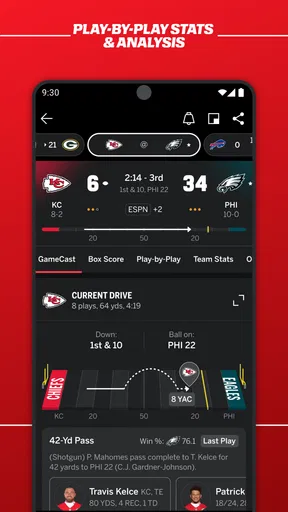
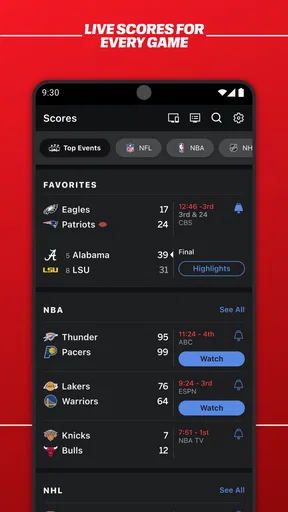
When I want to keep up with a game without sitting in front of a television, I care more about timely scores and a clear sense of what is happening than a crowded sports homepage. ESPN is built around that kind of quick check-in: it brings scores, sports news, alerts, and live viewing together in one app. In my experience, its strongest appeal is having those ways to follow a sporting day in one place, rather than needing to switch between a score tracker, a news reader, and a separate viewing app.
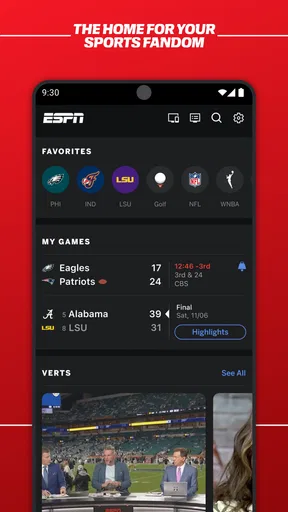
Scores and alerts make the app useful between games
The most practical capability is following scores while doing something else. I can open the app for a quick update, then return to what I was doing without treating sports coverage as a full-time activity. That makes ESPN especially handy during work breaks, while commuting, or when several games are taking place and I only have time to check the ones I care about.
Alerts matter because a score is most useful when it arrives at the right moment. Rather than repeatedly checking for a change, I can use notifications to stay aware of relevant developments. My advice is to be selective: choose the teams or events you genuinely follow, and keep the rest out of your notification stream. Otherwise, a feature meant to save time can become another source of interruptions.
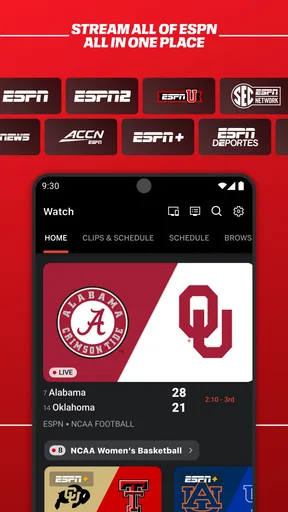
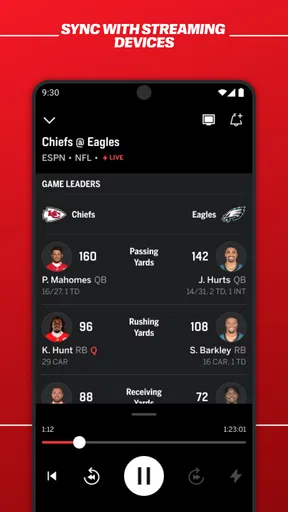
There is a useful distinction between using a sports app to monitor an event and using it to watch one. ESPN can serve both needs, but a score check is quick and low-commitment, while live viewing asks for more attention and a suitable moment. I like that the app can bridge those habits: I can begin with a score update and decide whether I want to spend longer with the coverage.
From a quick check to a fuller sports session
In practice, I would use the scores as the starting point, not assume every visit needs to become a long browsing session. A simple routine works well: check the games or sports I care about, read a story if a result needs context, and turn to live viewing when I have time to watch. That order keeps the app useful even on days when I cannot follow an event from start to finish.
News and scores answer different questions. A score tells me what has changed; a report can help explain why a result matters or what people are discussing around it. Keeping both close together is convenient when I want context without first searching across several apps. The trade-off is that a broad sports feed can put more material in front of me than I need, so it helps to approach it with a particular team, event, or question in mind.
For example, if I have a few minutes between errands during a game, I can check the current score and any alert rather than trying to watch from the beginning. Later, when I have a longer break, I can look for relevant news or open live coverage if it suits the moment. This is a realistic strength of the app: it accommodates fragmented attention instead of requiring me to plan my day around sports.
When live viewing is the right next step
Live sports are different from a notification or a headline: watching requires sustained attention and a setting where viewing is practical. I would treat the live option as a way to move from keeping track to actually following the action, not as a promise that every game is equally convenient to watch. If I only need a quick result, the score view is the more sensible choice; if I want the event itself, live viewing is the more engaging route.
That distinction also helps set expectations. A sports app cannot make a busy moment suitable for watching, and opening a live stream is not always the best way to catch up. For someone who is often away from a screen, scores and alerts may deliver most of the value. For someone settled at home and ready to watch, live coverage is more central to the experience.
A useful fit for an ordinary sports day
Picture a friend following a team while juggling work and evening plans. They can check the score during a short pause, leave alerts on for the matches that matter, and read a report later if they want more than the result. If their schedule opens up, they can move from updates to live sports. I find this more practical than trying to keep a broadcast running all day or relying on memory to check every game manually.
The same pattern works for someone following several sports, though it takes a little restraint. The app’s breadth can be an advantage when interests change from one day to the next, but following everything can make the experience feel busy. I would start with a narrow set of interests and widen it only when I notice a genuine gap. This keeps alerts useful and makes quick visits quicker.
It also suits casual fans who want a dependable place to orient themselves before joining a conversation. A result and a short piece of news can be enough to understand what people are reacting to, without committing to a full recap. Dedicated fans may want deeper analysis or a more specialized view of a particular sport, but for broad day-to-day awareness, the mix of scores, news, alerts, and live sports is compelling.
How it compares with separate sports tools
Compared with a simple score-only tracker, ESPN has a wider purpose: it pairs score checking with news and the possibility of live viewing. That breadth is convenient when I want to move from “what happened?” to “what should I know?” without changing apps. A stripped-down tracker may still be better if I want nothing but a clean scoreboard and minimal extra material.
Compared with following individual team accounts or general news feeds, a dedicated sports app gives sports updates a more focused home. The advantage is less hunting around; the compromise is that one app may not match every fan’s preferred depth or presentation for every sport. I would keep a specialist source in the mix if a particular team or competition demands detailed coverage, and use ESPN as the broader hub for checking the wider sports picture.
There is also a difference between a sports app and a streaming service whose main purpose is watching. ESPN combines viewing with score and news habits, so it can be useful even when I do not have time to watch. If my only goal is uninterrupted viewing, I would compare the available viewing options with my needs before making this my main screen-time destination. If I mostly want to stay informed and occasionally watch, its combination makes more sense.
Small choices that improve the experience
My first practical tip is to treat notifications as a filter, not a default firehose. Start with only the teams or events whose changes would actually affect your day. If every alert feels urgent, the signal gets lost; if the selection is tight, a notification can spare you repeated app checks.
My second tip is to decide what a visit is for before opening the app. A quick score check, a search for context, and a live viewing session are different tasks. Going in with one of them in mind helps avoid drifting through a broad feed when all you needed was a result. It also makes the app easier to use in short breaks.
Finally, I would not assume that live viewing is always the best way to catch up. When I arrive late to a game or have only a moment, checking the score and then reading relevant news is a more realistic workflow than trying to reconstruct the whole event by watching. The ability to choose between fast updates and a longer viewing session is useful precisely because those situations are not the same.
Who should choose ESPN—and who may not need it
Disney’s ESPN is a free sports app, and its broad combination of updates and viewing helps explain its wide audience: it has an average rating of 4.5 from about 1.2 million ratings, with more than 100 million installs. It is rated Everyone 10+ and has been available since June 15, 2010. Those figures suggest a familiar, widely used option, but they do not replace the more important question: whether its mix fits how you follow sports.
I would recommend it to people who follow more than one team or sport, want a central place to check scores and news, or value alerts when they cannot watch. It also suits casual fans who want to stay conversationally informed without building a routine around live broadcasts. The app’s biggest practical strength is not that every visit must be comprehensive; it is that I can choose a lightweight check-in or a deeper session according to the time I have.
It is less suitable for someone who dislikes notifications, wants an uncluttered scoreboard and nothing else, or follows one competition so closely that a specialist service would serve them better. Likewise, if watching live is the only thing that matters, I would compare the viewing experience with dedicated alternatives instead of assuming a general sports app is automatically the right fit. ESPN works best when its multiple roles are a benefit rather than unnecessary extras.
The app is free to download, with optional in-app purchases priced from $4.99 to $79.99 per item. I would keep that in mind if I prefer to avoid spending inside apps: the core proposition is easy to evaluate before deciding whether any paid option is relevant. My overall view is that ESPN is most worthwhile as a flexible sports companion—fast enough for a break-time score check, broad enough for news, and ready for live viewing when I can give a game my attention.
Pros and cons
Pros
- Live scores make it easy to follow games as they happen.
- Personalized alerts help you keep track of favorite teams.
- The app covers a wide range of sports and competitions.
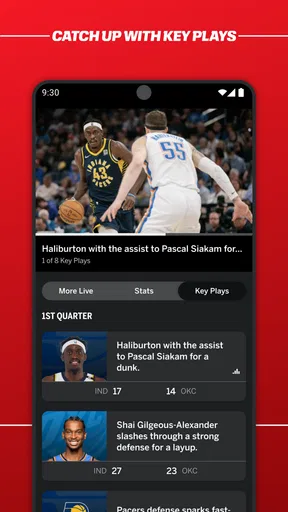
- Video clips offer quick highlights and analysis.
- A customizable home screen puts preferred sports front and center.
Cons
- Some live video streams require a paid subscription.
- Regional restrictions can limit access to certain broadcasts.
- Frequent notifications may feel distracting without careful settings.
- The home screen can feel crowded with news and scores.
- Streaming quality may vary with your internet connection.


